

Cazton Whiz
- Cazton Whiz turns your phone into a command center for serious work, letting you direct real computation on your own machine from anywhere without squinting at a remote desktop or carrying a laptop to every meeting.
- Your data, prompts, and results stay between your devices by default with no public cloud relay in the middle, giving your organization a private-first architecture for mobile productivity.
- From building client dashboards to fixing production bugs to deploying landing pages, professionals are completing meaningful multi-step tasks from their phones while away from their desks.
- Enterprise teams get the controls they need, including role-based access, approval workflows, compliance boundaries, audit trails, and security scoping that matches your organization's governance requirements.
- When comparing agent platforms, the architecture pattern matters: Cazton Whiz optimizes for narrow scope, private execution, and known operators, while broader platforms optimize for breadth at the cost of attack surface.
- Cazton's AI consulting helps enterprises build private, trusted AI agent workflows that deliver real productivity without expanding your organization's attack surface.
- Cazton's AI Automation practice designs mobile-first automation architectures that keep your teams productive from any device while maintaining enterprise-grade security.
- Contact Cazton to learn how Cazton Whiz can fit your environment and give your teams the ability to direct serious work from anywhere.
No Laptop, No Problem: Real Work from Your Phone
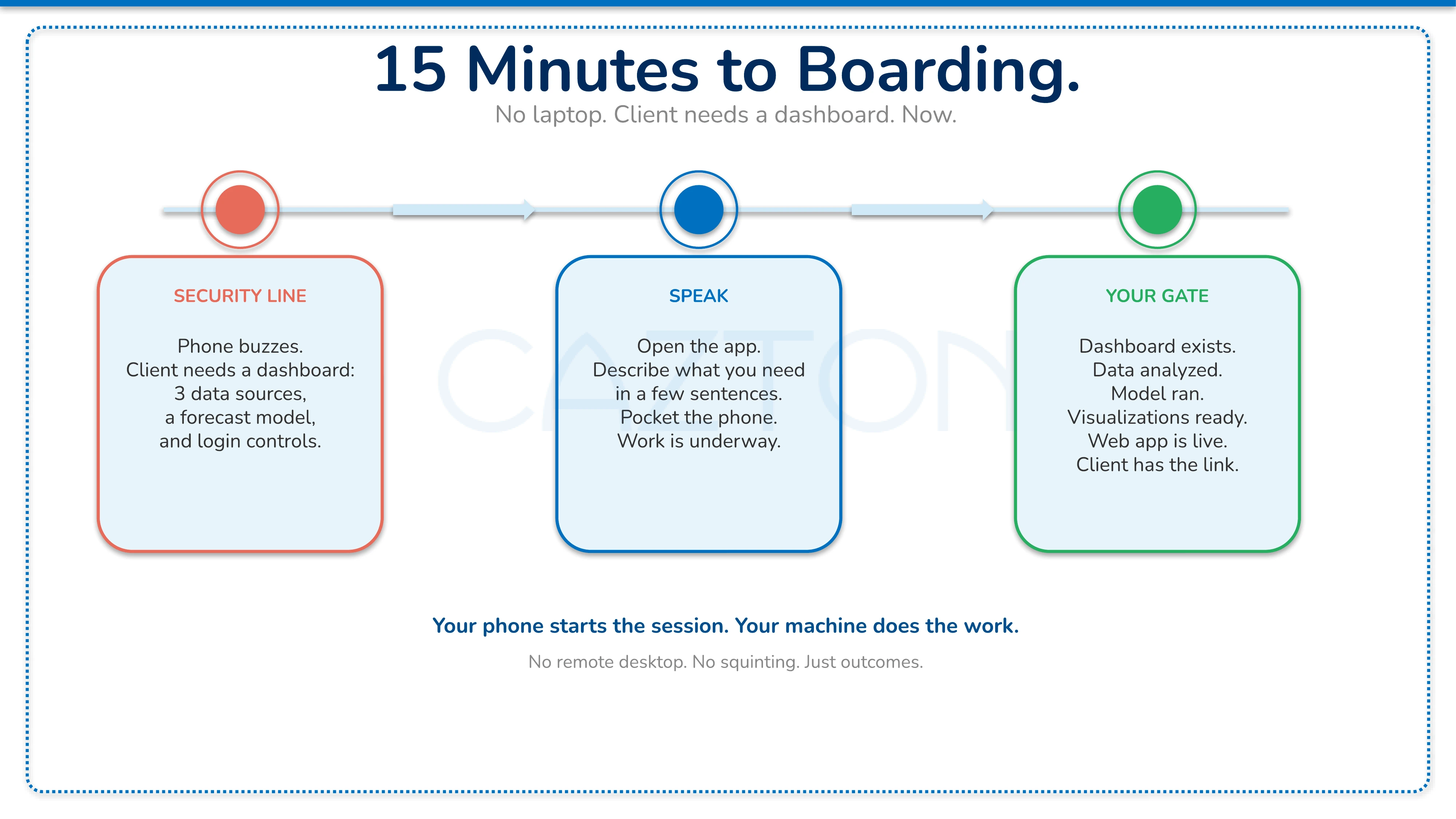
You are standing in an airport security line. Fifteen minutes to boarding. Your phone buzzes. A client needs a dashboard before their board meeting: sales data pulled from three different sources, a forecast model run against it, and the results displayed on a password-protected web page they can share with their directors.
You do not have your laptop. A few years ago, this moment would have meant apologizing, asking for more time, or trying to balance a laptop on your knees in a quiet corner. Or you punt it to tomorrow and hope the client's patience holds. Today, you open an app, speak a few sentences describing what you need, and put your phone back in your pocket.
By the time you reach your gate, the dashboard exists. The data has been analyzed. The machine learning model ran on your office computer. The visualizations are ready. The web app has proper login controls. It is live and waiting for your client. That is what Cazton Whiz makes possible.
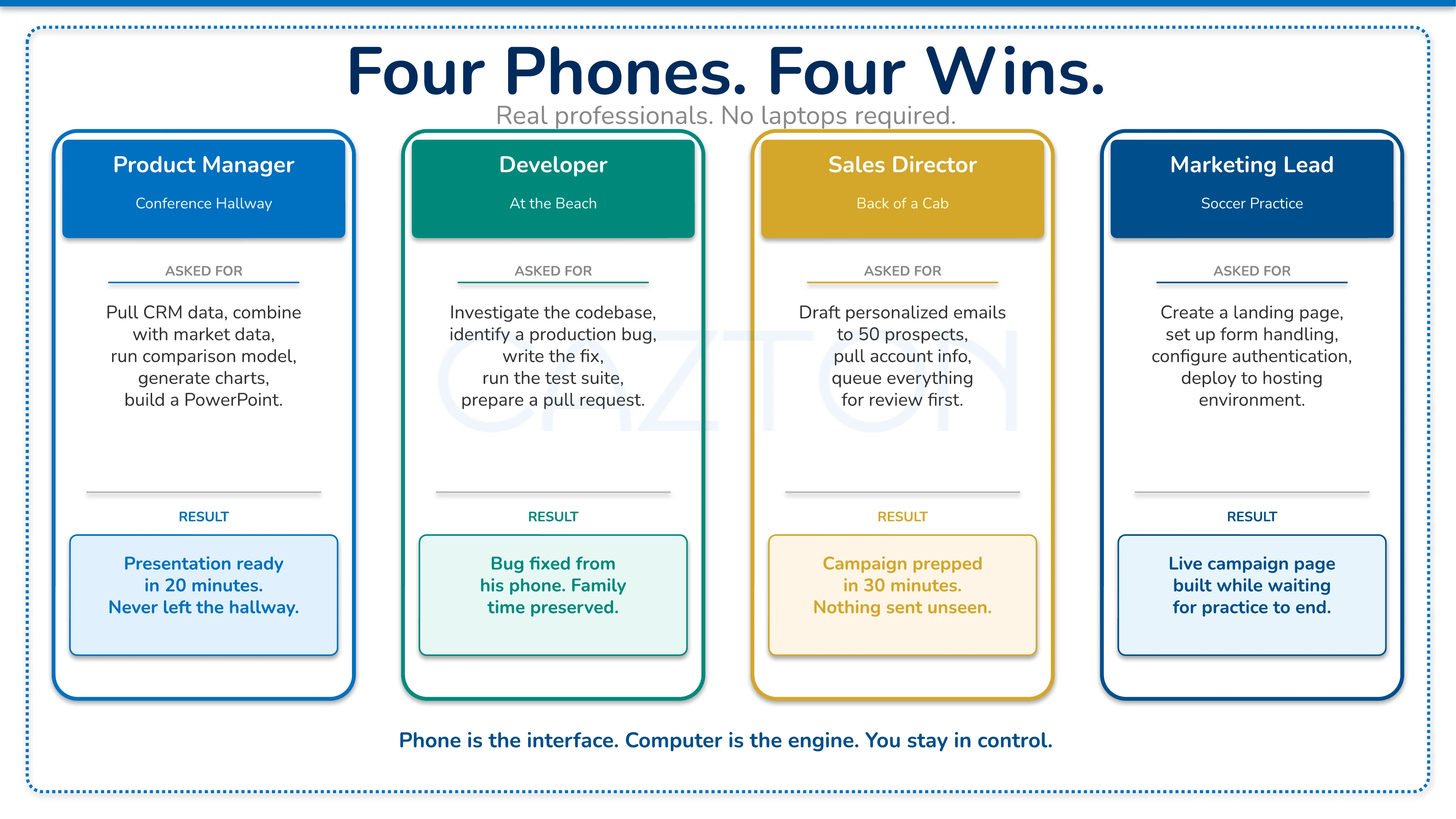
When people first hear about Cazton Whiz, they sometimes think it is a way to remotely control a computer from a phone. That description is technically accurate and completely misses the point. Traditional remote desktop means squinting at a tiny reproduction of your desktop, dragging your finger across a trackpad simulation, trying to click menu items designed for a mouse pointer. It works for emergencies. It is miserable for real work.
Cazton Whiz works at a fundamentally different level. It is a private, trusted way to get serious work done from your phone. Your computer serves as the execution layer. You describe what you want accomplished, and the system figures out how to accomplish it. The experience is closer to having a capable assistant who sits at your desk, understands what you need, and does the work while you walk the dog, sit in a meeting, or stand in an airport security line.
You talk to your phone. Serious work happens.
How Cazton Whiz Works: From Your Phone to Your Machine
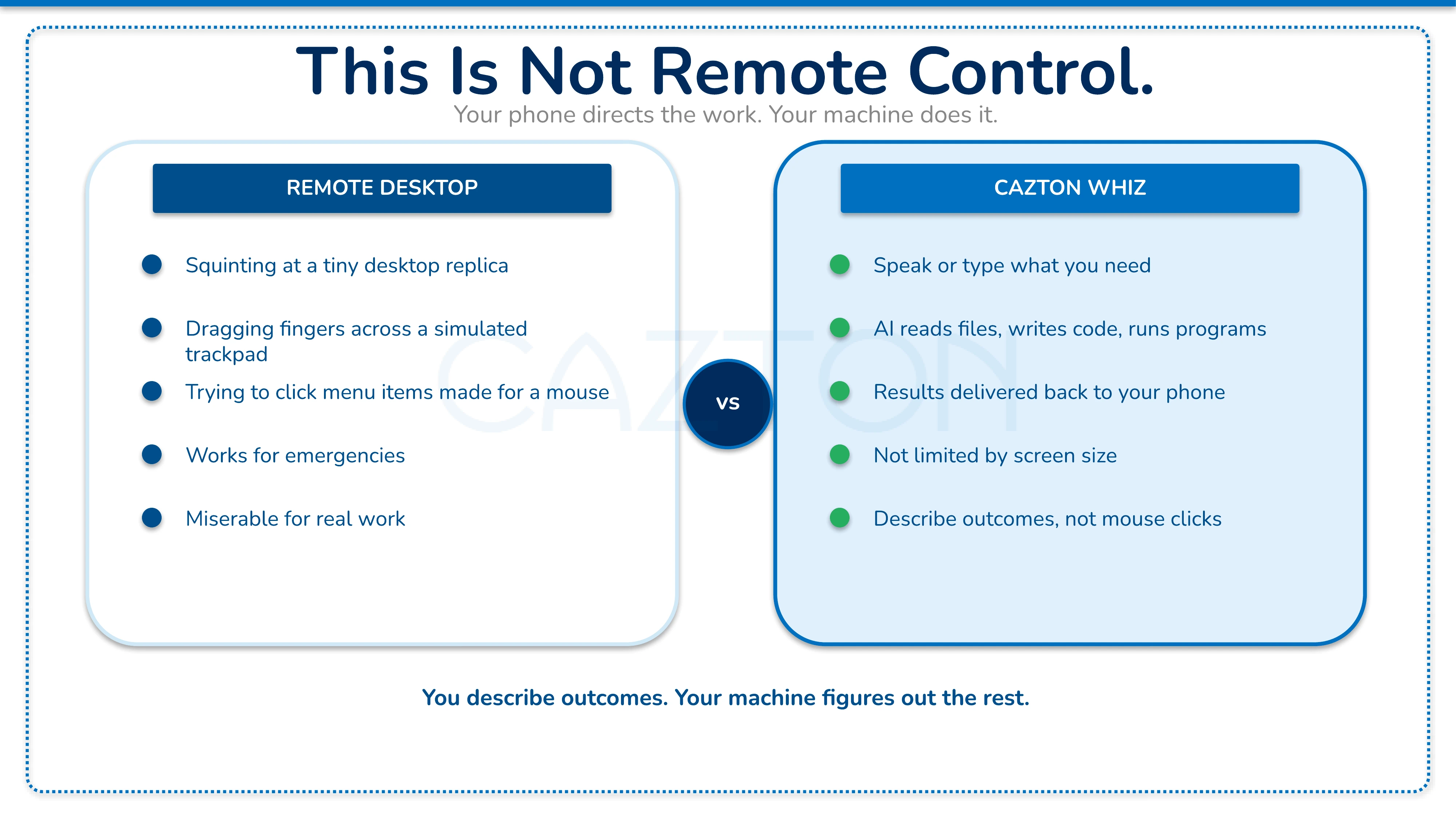
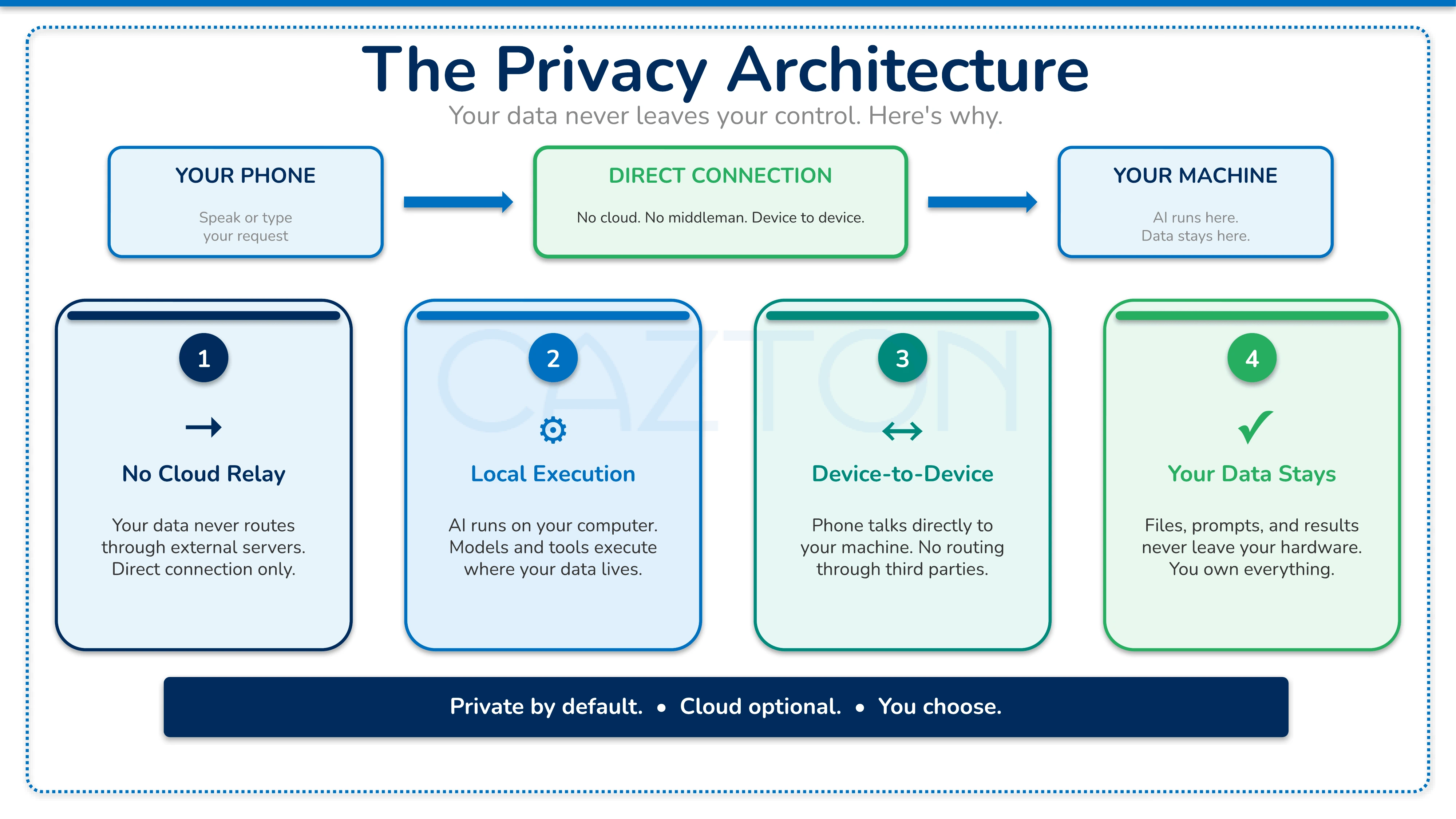
The experience is surprisingly natural. You open the app, speak or type what you need, and submit the request. The app communicates with a service running on your computer. That service hands your request to a coding assistant that can read files, write code, run programs, and produce results. When the work finishes, your phone gets notified. You can review what happened, download files, or continue the conversation.
This is an important distinction from many AI tools on the market. With most of them, the work still has to start from the computer. You begin the session at your desk and your phone becomes a companion screen. Cazton Whiz works the other way around. The phone is where the session starts. You trigger the work from your phone, your own machine does the heavy lifting, and the finished result gets delivered back to your phone.
The default setup assumes you are on the same network as your machine. Your phone and your computer talk directly, with no public cloud relay sitting in the middle. That is a deliberate architectural choice. It means your prompts, your data, and your results stay between your devices. For people who need access from outside their home or office network, the recommended approach is a private connection like a VPN. The design philosophy is to keep the boundary tight rather than assume public exposure is acceptable.
Real Professionals, Real Results from Any Location
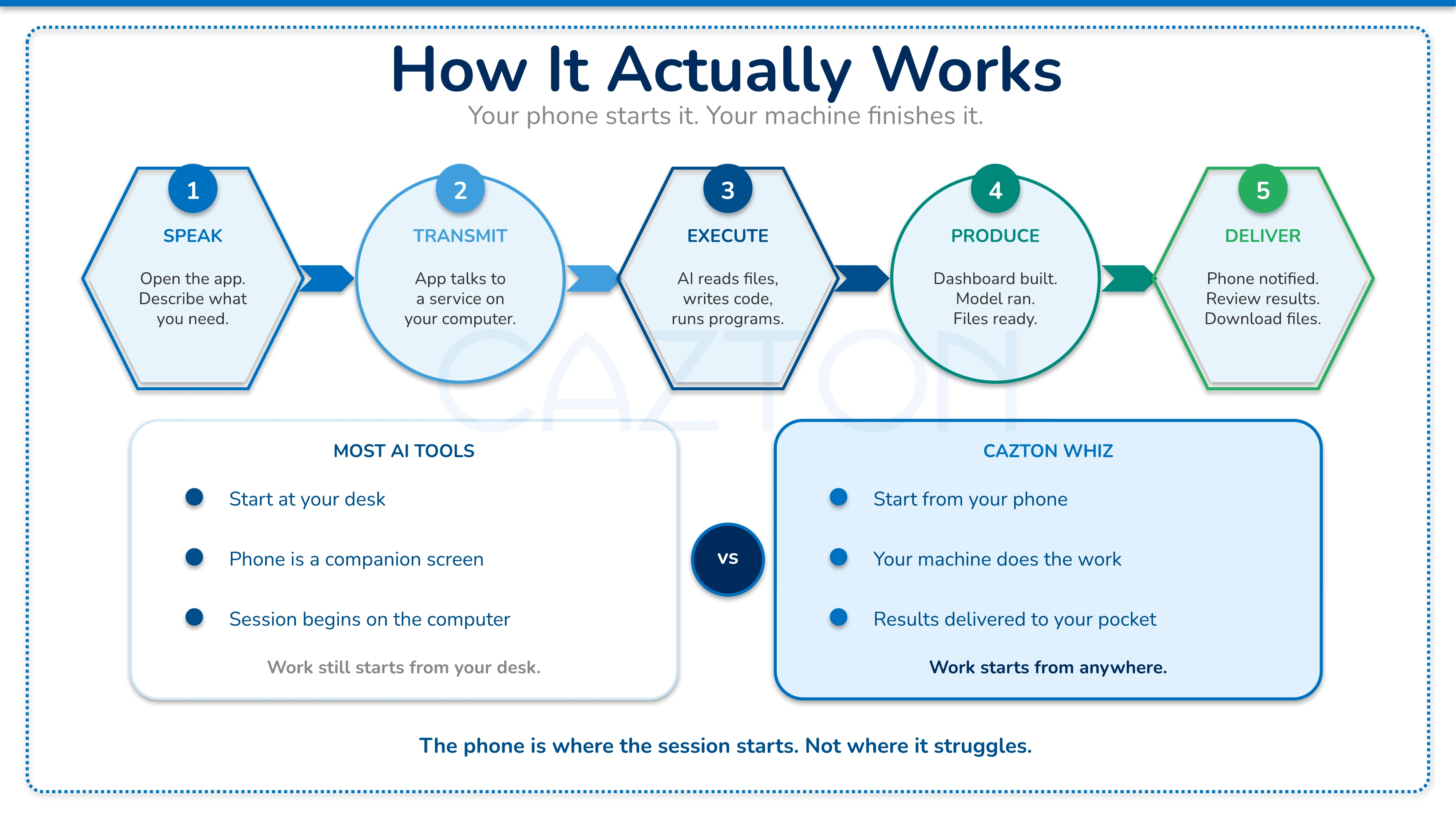
The airport scenario is one version of a pattern that keeps showing up across industries and roles. Here are four professionals who stopped needing a laptop for every meeting.
Product manager at a conference: Between sessions, standing in a hallway with a coffee in one hand and her phone in the other, she tells Cazton Whiz to pull data from the company CRM, combine it with public market data, run a comparison model, generate charts, and build a polished PowerPoint. Twenty minutes later, the presentation is ready to download. She never left the hallway.
Developer on vacation: A production bug message arrives while his laptop is back at the hotel and his family is waiting at the beach. Instead of abandoning the afternoon, he opens his phone and describes the problem. Cazton Whiz investigates the codebase, identifies the issue, writes a fix, runs the test suite, and prepares a pull request for review. The developer reviews and approves it from his phone.
Sales director in a cab: With thirty minutes to spare before a board meeting, she needs personalized outreach sent to fifty prospects. She describes the campaign parameters, the data sources to use, and the approval workflow she wants. Cazton Whiz drafts the emails, pulls the relevant account information, and queues everything for her review before anything gets sent.
Marketing lead at soccer practice: While waiting for his kid's practice to end, he describes the concept for a new campaign landing page, the branding requirements, and where the signup data should go. Cazton Whiz creates the page, sets up the form handling, configures the authentication, and deploys it to the company's hosting environment.
In each case, the phone is the interface. The computer is where the work runs. The human stays in control of what matters.
Outcome-Driven Work: Describe What You Need, Not How to Click
This is the shift that changes how you think about what a phone can do. Traditional remote desktop tools let you see your computer screen on your phone and tap awkwardly at tiny buttons. That is useful for emergencies but miserable for sustained, real work.
Cazton Whiz operates at a different layer. You describe outcomes, not mouse clicks. You say what you want to accomplish, and the system figures out how to accomplish it. The AI assistant can read your files, understand your codebase, access your data sources, run computations, and produce deliverables.
That shift from manual operation to directed work is what makes the phone a viable starting point for serious tasks. You are not limited by screen size or touch precision. You are limited only by how clearly you can describe what you need.
Enterprise Controls for IT and Security Leaders
For individuals, Cazton Whiz is a productivity story. For enterprises, it raises a harder question: how do you give people this kind of capability while maintaining appropriate controls?
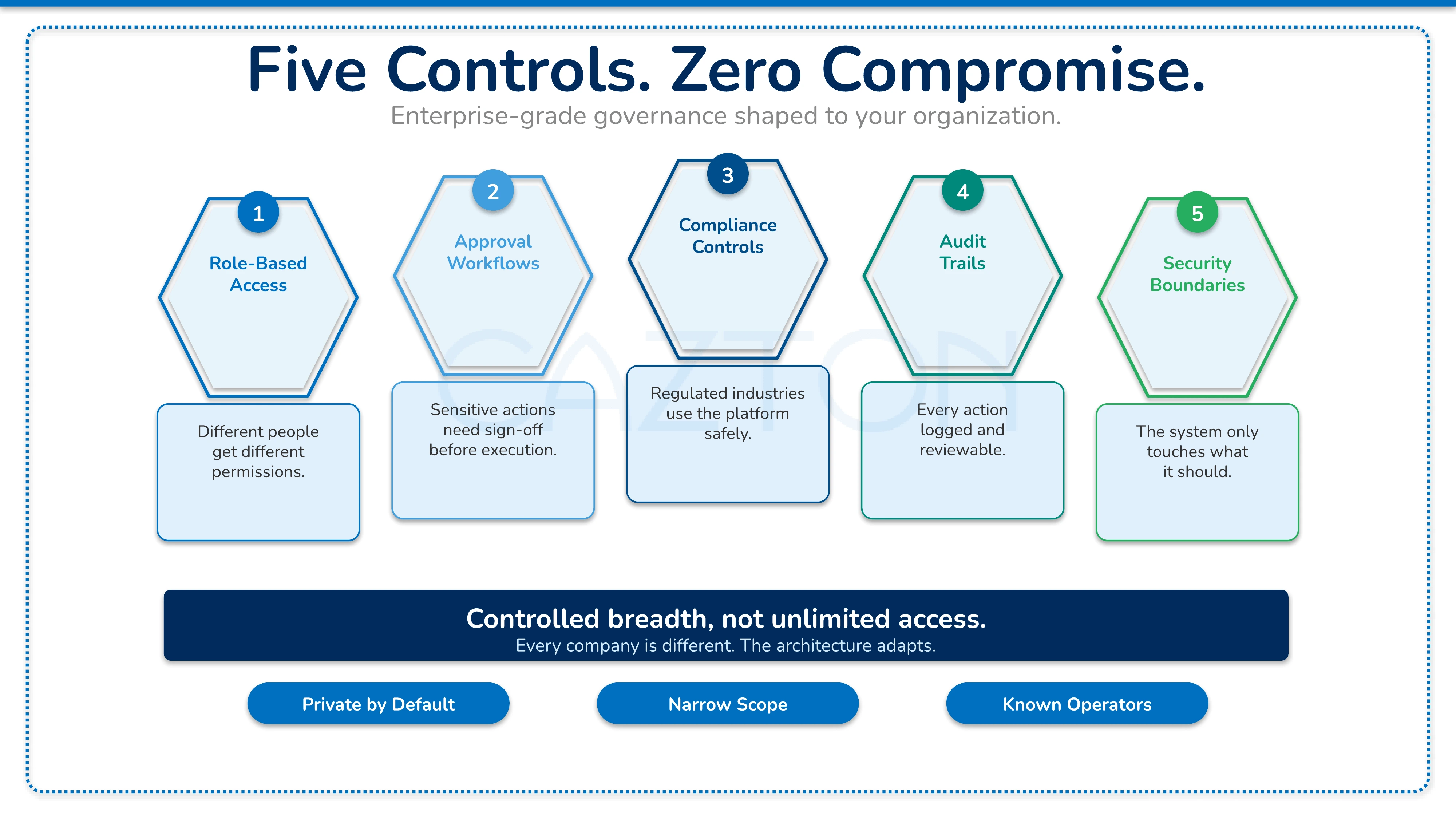
Cazton Whiz can be shaped to fit your organization's requirements. The platform supports the governance capabilities enterprise teams need:
- Role-based access: Different people get different permissions based on their role and responsibilities.
- Approval workflows: Sensitive actions require sign-off before execution, keeping humans in the loop where it matters most.
- Compliance controls: Regulated industries can use the platform safely with boundaries that match their specific requirements.
- Audit trails: Every action is logged and reviewable, giving your compliance and security teams full visibility into what happened and when.
- Security boundaries: The system only touches what it should touch, with scoping that limits the blast radius of any single request.
One tool should not simply get every permission. Every company is different. The architecture supports controlled breadth, not unlimited access.
Evaluating Agent Platforms: Scope Versus Surface Area
If you have been researching this space, you have probably encountered OpenClaw. It is an ambitious open-source project that positions itself as a general-purpose AI agent platform. It supports multiple messaging channels, browser automation, device-level actions, and a growing extension ecosystem. If you need an AI that can talk to customers over chat, browse websites, operate your phone's camera, and integrate with third-party tools, OpenClaw is built for that breadth.
That ambition is genuinely impressive. OpenClaw is serious infrastructure for teams building agent-powered products or internal automation platforms. The difference is in what each system optimizes for. OpenClaw optimizes for breadth and flexibility. Cazton Whiz optimizes for private, trusted, client-shaped work from your phone.
Breadth comes with cost. Every channel, every integration, every extension becomes another surface to monitor and secure. OpenClaw has had multiple publicly disclosed security issues, which matters more than usual because it is a platform that can act on real resources. For teams that truly need an omnichannel agent platform and have the security maturity to operate one, OpenClaw is a legitimate option. For organizations that want a private way to get real work done from their phones without creating a broad attack surface, Cazton Whiz is the better fit.
The Question Your Organization Will Have to Answer Either Way
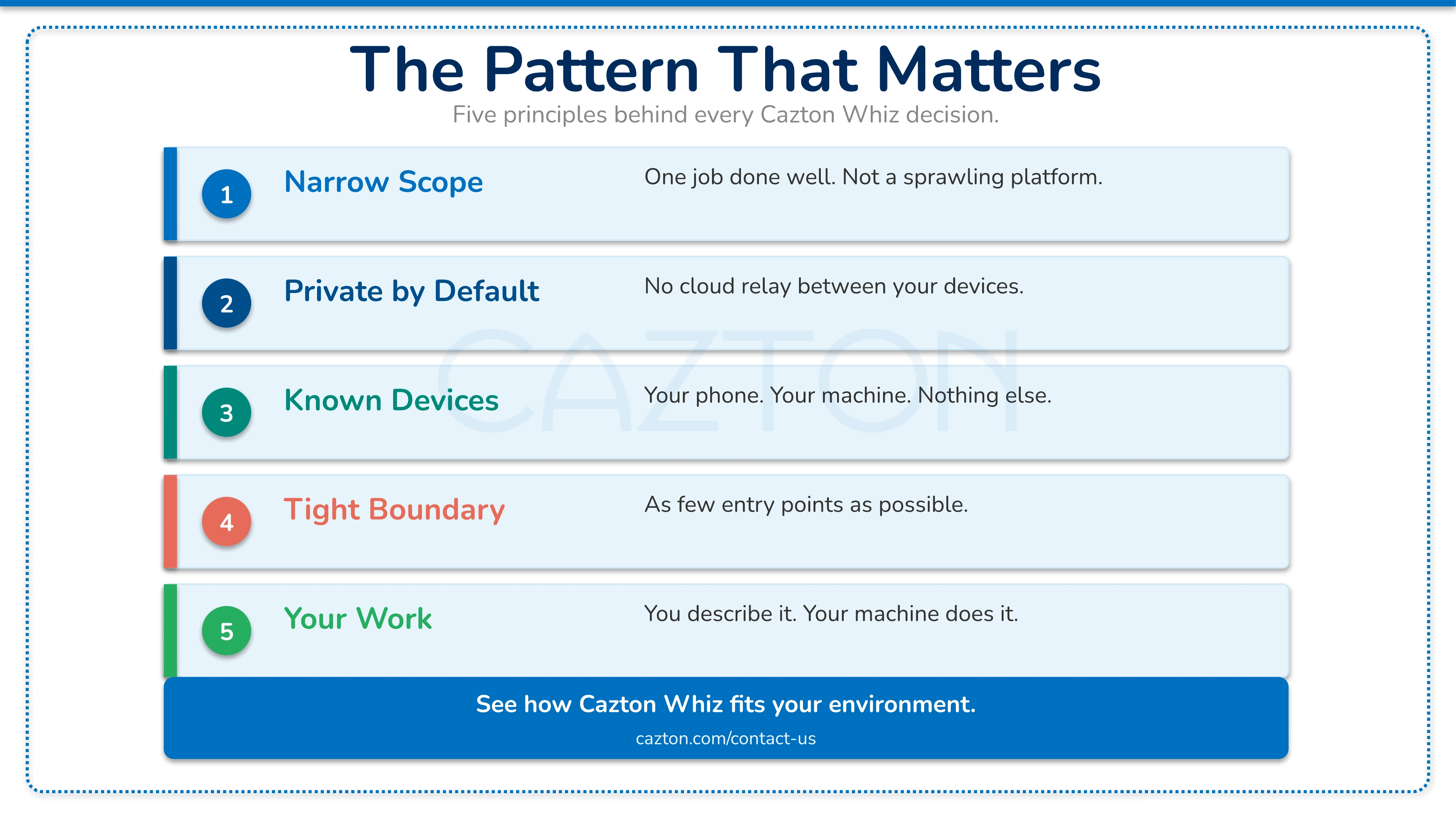
The pattern here is more important than any single product. That pattern includes narrow scope, private by default, known devices and known operators, explicit boundaries for remote access, and as few entry points as possible.
That is a much more practical approach for administrative and workstation-control workflows than a broadly exposed agent platform with dozens of integration points. Enterprise leaders should pay attention because this is where productivity tools are heading. Your teams will increasingly expect to direct serious computation from their mobile devices. The question is whether that capability arrives through sprawling platforms that are hard to secure, or through focused tools that stay within sensible boundaries.
Who Cazton Whiz Is For
Cazton Whiz is not trying to be everything. It is trying to be one thing done well: a private, trusted way to get real work done from your phone. Your computer does the heavy lifting. Your phone is where you give direction and receive results. The boundary stays tight. The work gets done.
For the specific job of turning your phone into a command center for meaningful work, without inviting the entire internet to watch, this is the tool to use. Contact us to see how Cazton Whiz could fit your environment.
Cazton is composed of technical professionals with expertise gained all over the world and in all fields of the tech industry and we put this expertise to work for you. We serve all industries, including banking, finance, legal services, life sciences & healthcare, technology, media, and the public sector. Check out some of our services:
- Artificial Intelligence
- Big Data
- Web Development
- Mobile Development
- Desktop Development
- API Development
- Database Development
- Cloud
- DevOps
- Enterprise Search
- Blockchain
- Enterprise Architecture
Cazton has expanded into a global company, servicing clients not only across the United States, but in Oslo, Norway; Stockholm, Sweden; London, England; Berlin, Germany; Frankfurt, Germany; Paris, France; Amsterdam, Netherlands; Brussels, Belgium; Rome, Italy; Sydney, Melbourne, Australia; Quebec City, Toronto Vancouver, Montreal, Ottawa, Calgary, Edmonton, Victoria, and Winnipeg as well. In the United States, we provide our consulting and training services across various cities like Austin, Dallas, Houston, New York, New Jersey, Irvine, Los Angeles, Denver, Boulder, Charlotte, Atlanta, Orlando, Miami, San Antonio, San Diego, San Francisco, San Jose, Stamford and others. Contact us today to learn more about what our experts can do for you.
